Reference
In this section, you will implement the reference() function, which retrieves the desired flight setpoints transmitted wirelessly from the Crazyflie Client.
Overview
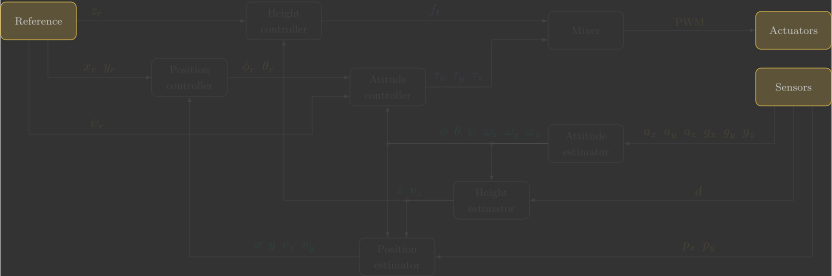
The following diagram illustrates the internal structure of the reference function:
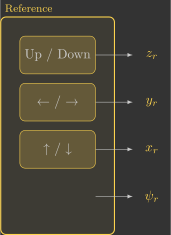
Before we begin, it is important to understand a few key concepts:
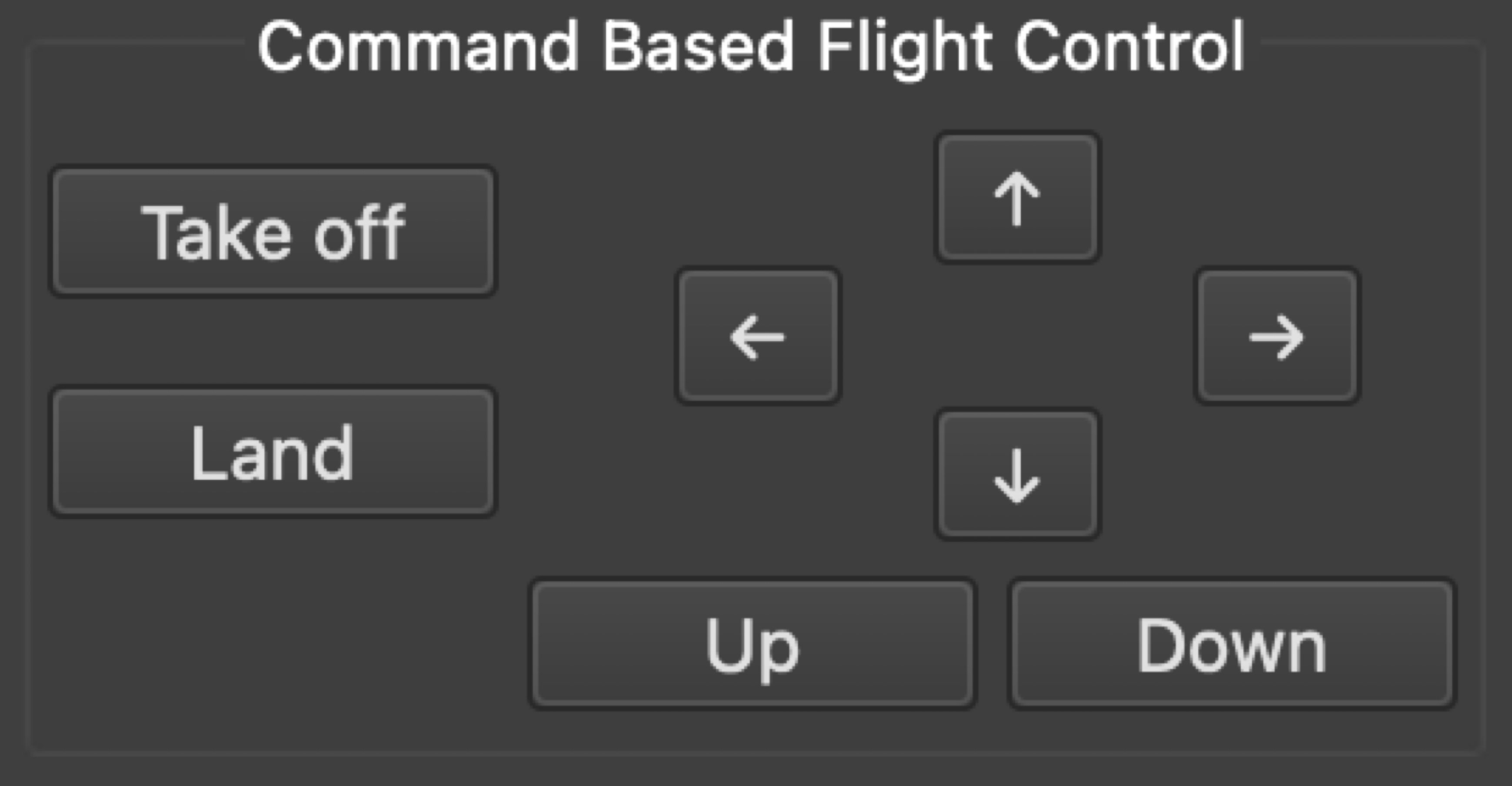
- The setpoints are sent wirelessly by the Command-Based Flight Control interface in the Crazyflie Client:
- The ↑ and ↓ buttons change
setpoint.position.xin increments of \(0.5\) - The ← and → buttons change
setpoint.position.yin increments of \(0.5\) - The Up and Down buttons change
setpoint.position.zin increments of \(0.5\) - The Take off button sets
setpoint.position.zto \(0.5\), while the Land button sets it to \(0\)
- The ↑ and ↓ buttons change
- The commander module stores the latest reference commands in a setpoint_t structure. These values can be retrieved using the
commanderGetSetpoint()function.
Implementation
The first step is to retrieve the most recent setpoint from the commander module. The returned structure contains several variables. We extract these values and store them in the global variables used by the controller.
The code below implements this logic.
72 73 74 75 76 77 78 79 80 81 82 83 84 85 86 87 | |
You can simply copy and paste the code above. However, take some time to understand what each line does (the comments are there to guide you).
Important
The Command-Based Flight Control interface does not provide a yaw reference, therefore it is fixed at \(\psi_r=0\). However, it is possible to map setpoint.position.y to the yaw reference and keep the lateral position reference fixed at \(y_r = 0\):
82 83 84 85 86 | |
This allows the ← and → buttons to rotate the quadcopter about its vertical axis rather than translate it sideways.